Posts Tagged ‘Kitzke Customs’

Photo Effects

Tuesday, February 2nd, 2010

Hey everyone, I’ve been busy busy busy studying Photoshop design effects. My last few lessons required tons of steps, which at times got frustrating. I guess my brain has been elsewhere this week. All in all, I still love what I am learning. With roughly four thousand pictures in my photo folder, it’s always hard for me to choose which ones to edit. Here are a few of my favorite edits from the past couple days.

My first tutorial showed me how to create illustrated effects using Photoshop. Illustrated effects give images that drawn or sketched look. I started my design with a blank layer (I am so glad I watched my layers DVD before moving on to design effects!) and copied the image of myself onto a new layer. I selected my foreground color, then added another layer with a gray fill. I created a top layer and applied the texture with an overlay blending mode. To give myself a sketched effect, I desaturated my image and copied it to another layer. On one copy I multiplied my edges. On the original image I applied a poster edge filer and applied a linear burn. I masked both images and used the smudge tool to make my picture look drawn in places. To finish up my design I applied the text. I rasterized my text before rendering and blurring it. I added a few lines with a one pixel brush for an architectural look. To finish off my design, I stylized my edges with a color burn and modified using the levels adjustment. Voila!

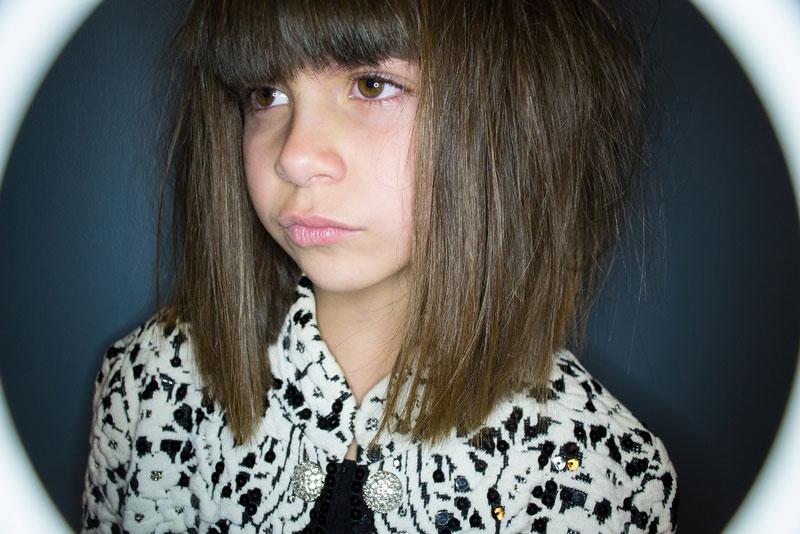
My next set of videos involved lighting effects. These also required a lot of steps, but the effects are awesome. The tutorial videos used studio head shots, so my images don’t have as intense effects, however I think they still work well. I should probably take more stock photos. Before you even work on your base image (my head shot) you need to establish what shapes you want to use. In a separate image I chose my shapes, inversed the color and dragged them to the base image. I copied my shape layer and arranged the shapes to my liking, then merged the layer to save myself some work. I added a new layer and applied a radial gradient to give an effect of light coming behind from the shapes. When in doubt, apply a new layer instead of working on the same shapes, images, etc. It is easier to delete a layer than make an error and have to apply the effects all over again. For the sparkle effect on my shapes, I used a square brush. I adjusted the space, scatter, roundness and angle of my brush, then brushed on the shapes as desired. I moved the sparkle layer behind my shapes as a personal preference. To add additional lighting effects I created a new layer directly above my base layer. I applied a lighting effect and adjusted the positioning of my light source. I played around with blend modes to get the best effect. On projects like this, with so many steps, it usually just comes down to a personal preference. I added a few minor touchups to my photograph as finishing touches.

My final design is just a fun little brush effect. The video instructor calls this “creating a light trail.” It reminds me of a Disney or fairy type effect. To create this light effect you need to create a brush. I chose the “fuzzy cluster loose” brush and applied some effects. I started by applying an outer glow with 100 percent opacity. I applied a hard light blend mode and chose a color to match my design. To that same effect I also applied a drop shadow and changed the blend mode to dissolve. Instead of a black drop shadow I selected a color slightly lighter than the one used for my outer glow. When working with brushes that are personally modified, it is best to save your brush preset. This way you don’t have to apply the same changes each time you create a new stroke. The instructor used a tablet to create extra smooth light trails. I never thought tablets made a difference in design, but after creating light trails with a tracking ball, the effect is not quite the same. I added some text for fun, as it perfectly describes my picture.

I’ve done so many designs in the past few days, I could upload ten more pictures and write another thousand words. However, I don’t think anyone would want to read that. Ok, maybe my neighbor Kelly as he is a designer also! I’m out. There is a lot of authentic Chinese food at home and it has my name all over it. Keep checking back for updates, thanks again for all your feedback! :]

♥ BB

Now Playing: 09 I Want You

Photoshop Design Effects

Friday, January 29th, 2010

Today is a new day, which means a new set of Photoshop tutorial videos. This Kelby video is dedicated to just photoshop design effects. For those of you asking “what are design effects?” let me give you a rundown. Design effects are everywhere and everything. Design effects are in photographs, ad campaigns, websites, logos and much more. Design effects can be as little as one photo filter or as big as ten blending options, twenty brush effects and thirty layers. Yes, I said layers. Photoshop has so many design effects I don’t even know where to start. Imagine the worlds biggest art palate all at the click of a mouse.

I started this tutorial studying background effects. I created my own background using different shape objects and saved them as a template. To create the photo seen above, I cut out a few pictures of my friend Seth. I cropped and placed the pictures to my liking. I added a blank layer above the background layer, then added a gradient. For the patterned gradient I went to my layer options and selected “pattern overlay.” Obviously if I created this for an ad campaign I would spend more time cutting out photos, blending my edges and fine tuning my details. For now, this works.

My next tutorial focused on brush effects. I began by creating my own brush. In Photoshop, you can turn virtually anything from shapes to even photos into a brush. My brush looked weird. The picture I used to create this effect didn’t help my situation. The tutorial instructor used a model headshot. With the lighting behind the model and the brush effect, the photo had an 80′s neon party vibe. With my photo, I looked like I’d been drawn on with a photoshop brush. Not good. I got the gist of brush making though and will no doubt use this technique again. The second part of brush making rocked socks. I started out with a photo and duplicated the background layer. To the background layer I applied color and texture. I selected my top layer and added a mask, before brushing on stars to reveal the texture underneath (it’s kind of hard to seethe texture on my website photo). I added a drop shadow to add some “oomph” to the stars. I’ve seen a similar technique used in advertisements. I can’t wait to use this technique again. Perhaps I’ll use it to design my own advertisements?

My final tutorial of the day took a little longer than the previous ones, as it had a lot more steps. My hard work paid off, as Meng called my design “very beautiful” and wanted to learn how to re-create the effect. Woo-hoo! Long story short, I opened two images and adjusted the threshold of the photos. I stuck them on a background image (you can use anything here, texture, solid color, pattern, whatever) and multiplied my blend mode. For the splatter effect I created a box, applied a dissolve gradient and warped it until I thought it looked legit. To add the name plate you simply draw a box with the lasso tool, add a drop shadow, then put the text in a layer on top. Boom, you’re finished!

I know I’ve said it before, but I will say it again. I love what I am learning. I can’t believe all that I have learned in only a matter of days. My time at work flies by. I get here early and I work late. It doesn’t matter because it doesn’t feel like work. I guess that’s how I know I’m in the right field.

♥ BB

Photoshop Tutorials

Friday, October 9th, 2009

Just a quick little blog to update everyone on my work situation. Over the eight day holiday I studied Adobe InDesign web video tutorials. Unfortunately with everyone back in the office, Internet is extremely slow. Watching a video is equivalent to watching a scratched DVD. The video renders every 5 seconds. It’s pretty difficult to follow along.

Instead of bumming about the situation I decided to be proactive. My dad suggested a great website to learn Adobe Photoshop tips from the pros. I learned really neat tricks in only a few hours.

First I learned to blend layers in a photo, thus creating a more balanced image. What does this mean? If you take a picture that turns out half under exposed and half alright or over exposed, you can create layers to build a better picture. The example used in the tutorial is a sunset. This trick is especially beneficial for landscape pictures.

The next trick I learned is to create a “torn page” with a ghost effect. This technique is great for ads, flyers or anything to catch a readers attention. The ghost effect means turning down the opacity behind the text. The “torn page” trick requires a lot of steps so it took a few tries to get it down. The result was well worth the extra effort. This trick is something I will definitely use again.

My final photoshop technique involved NEF’s, also known as RAW image files. I won’t even begin to explain NEF’s, but think of them as a digital negative. They record 100% of the data and the metadata. Alright, enough geek talk. My final lesson taught me selective coloring in RAW. Selective coloring lets you color parts of the image and desaturate others. I’ve used a similar editing technique before, but editing my images with selective coloring gave me a more precise edit. I also found this technique to be quicker and easier than previous methods.

All the techniques learned will be beneficial to my photography skills. All pictures on this blog are first time trials. I can’t wait to practice these techniques more. I wish I’d known about this website sooner, I’ve already added it to my browser bookmarks. I can’t wait to expand my Adobe knowledge. I love what I am learning and I truly enjoy coming to work every day. Not many people can say that.

♥ BB

Check out www.PhotoshopUser.com for tips and tutorials!

Kitzke Customs

Wednesday, March 18th, 2009

When my friend Seth visited me in Pullman, I couldn’t help but notice his sweet skull hoodies and jeans. I assumed it was some new underground snowboard brand. I did not expect Seth to tell me he pained the clothes himself. Apparently it’s been nicknamed “Kitzke Kustoms” by his friends. Whatever it’s called, I’m digging it.


Seth painted a pair of jeans for me. Three words: new favorite jeans. The first time I wore them, I received tons of compliments. All the girls at my hair salon asked where they could get a pair. My mom even thought I bought them that way.

Right now Seth paints new or vintage clothes. Prices vary depending the size of the piece. Kitzke Kustoms isn’t an “official” brand, but if investors are interested, any help would be greatly appreciated.

To get your own pair of Kitzke Kustoms, e-mail Seth at SethKitzke@hotmail.com. With the tanking economy, it’s hard to get good looking, affordable jeans. Now you can have your favorite jeans customized. I hate to say it, but screw True Religions. I love my new KK jeans, and I didn’t even have to pay $150 for them.

♥ BB

As Green As It Gets

Sunday, March 15th, 2009

With spring break only a few days away, the last thing on our minds was snow. But then again, who are we kidding? This is Pullman. When it comes to the weather, expect the unexpected.

Last week, Mother Nature decided to drop a good six inches of snow. My friends at Snowboard Connection and YKwii Media were pumped. Tuesday night, five boys drove up from Portland, Seattle and Tri-Cities to snowboard and film for their new movie “As Green As It Gets.”


The boys arrived around eleven, to a frozen Palouse ready for rails. Even the one degree weather didn’t deter them from riding. Bart, Josh, Seth, Tommy and Yudo took off. Boards, lights, generator, camera equipment, the works. The first rail hit is a beast. I often pass it on my way to class, and imagine how filthy it would be for snowboarding. I personally don’t hit hand rails (five concussions and a torn ACL are good enough, thanks) but I know a good one when I see it. The set-up took some work. Tommy strategically placed the lights to get the best footage possible. The boys shoveled snow up to the stairs to build a lip up to the rail. To create a proper landing, they covered the road with snow. This, and boys snowboarding down handrails, naturally drew some unwanted attention. The boys rode until 5:30 am, when the Pullman Police kicked them out.

Due to my ridiculous Wednesday class schedule, I didn’t get to shoot many pictures during the day. Luckily, I got a few good sunset shots before going home to write a paper. The next day we went to the same rail on Lybecker Street. The boys couldn’t hit the rail because of kids playing on the playground equipment. After waiting about 20 minutes, we decided to take action. Tommy and I went to the main office and asked to hit the rail for a snowboard video. Surprisingly they said yes! The boys couldn’t believe it. We quickly set up the equipment and started shooting. Some kids asked what we were doing, others started chanting “snowboard, snowboard” and one boy told me how much he loved snowboarding. As each boy hit the rail, the kids would chant their name. Could they be any cuter?

Eventually the church got tired of us. Seth suggested going to hit a fence next. I thought it sounded crazy, but then again, most objects they hit are in my opinion crazy. A few fence hits and an angry church goer later, we thought we should bounce. The last rail of the day was a down-flat-down rail by the vet school. The rail took forever to set up, but looked sick. I couldn’t wait to see Josh hit it. No surprise, after three hits the Pullman Police showed up again to kill the party. Apparently snowboarding on rails is a a serious issue. Well, or Pullman PD has little else to do… Either way, we took it was a sign. Party time!

Thursday night we celebrated Josh and Bart’s 22nd birthday’s by throwing a party. We needed to show these boys how Pullman parties! At least 30 people crammed into my two bedroom apartment, making for an epic party and unforgettable memories.

After three nights in Pullman, we parted ways. The boys needed to get home, and I started spring break. I enjoyed their visit. Plus, they are the most respectful five boys you could have crash on your couch for three days. I hope they got some great footage and can’t wait to see the final product.

♥ BB

To check out the teaser, visit:
http://reelcomp.com/videos/view/7818?page=3

For updates on “As Green As It Gets” visit: www.ykwii.com

For the freshest snow, skate and surf gear check out: www.SnowboardConnection.com